- B2C
- AI Smart Home
- Consumer Mobile
AI-powered Autonomous Home Cleaning System
Reworking the DEEBOT X2 from a robot you operate into one you trust: one-tap AI cleaning, a map that draws itself, and pet-safe navigation.
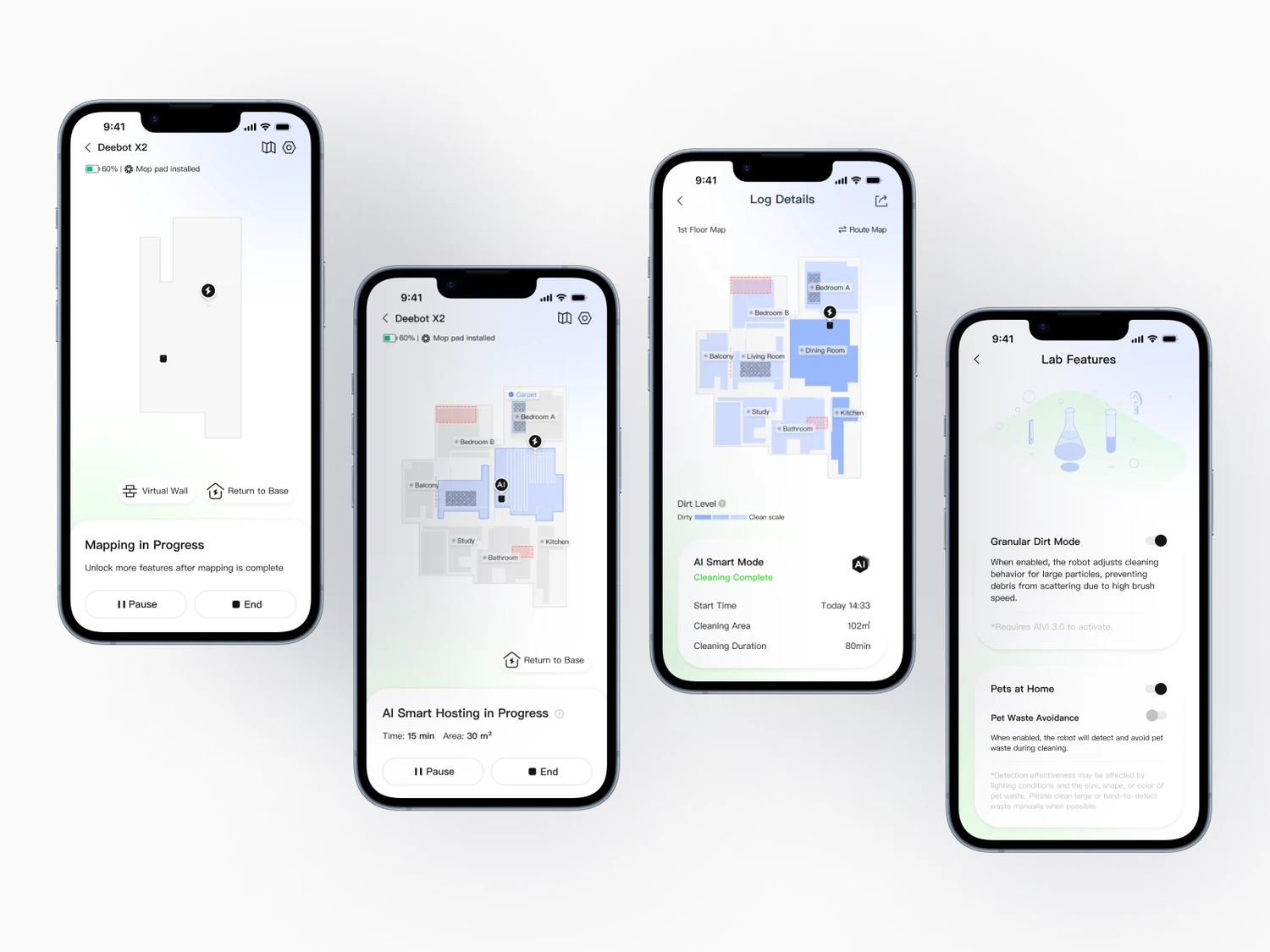
Overview
An AI auto-cleaning experience that replaces complex manual setup with one-tap intelligent control.
Note
ECOVACS positioned the DEEBOT X2 as fully autonomous, but rising customer complaints told another story. The hardware was capable; the experience still asked people to edit maps, choose between a dozen settings, and hope it avoided the worst messes. I led the design that closed the gap between what the robot could do and how intelligent it actually felt.
- Role
- Product Designer
- Team
- Product DesignSoftware EngMachine LearningHardware R&DProduct Mgmt
- Skills
- Product StrategyResearch SynthesisInteraction DesignSystem LogicPrototyping
- Timeline
- May to Aug 202412 weeks
What I owned
- Defined success metrics and guardrails, and aligned five teams on one product contract.
- Turned usability findings into a prioritized roadmap, MVP scope, and acceptance criteria.
- Partnered with Robotics, ML, and Eng so the UI matched real robot constraints, model confidence, and failure modes.
- Shipped an AI hosting system that cut configuration without sacrificing safety or cleaning quality.
Core problems
Autonomy that still felt manual.
The X2 was packed with capability, but TikTok and e-commerce reviews told another story: people found it complicated and, at worst, untrustworthy. We combined complaint analysis, App Store review mining, and interviews with pet owners and first-timers. Three pain points came up again and again.
Setup was a chore
Before the first clean, users divided rooms by hand, drew virtual walls, and walked a long setup. A rough first impression that hit almost everyone.
Too many knobs
Suction, water flow, cleaning passes: more than ten parameters, with no clear way to choose. The product felt complicated instead of smart.
Pet-waste accidents
Sometimes the robot failed to recognize pet waste and smeared it across the house. Rare, but catastrophic. It broke trust instantly.
In their words
“I thought it was automatic, but I still had to redraw the map myself. It feels more manual than smart.”
 Robert Rose
“There are too many cleaning settings. I don't know which one to choose.”
 Alex Smith
“If it runs over pet waste, that's a disaster. I'd completely lose trust.”
 Jessica Davis
Goals
Make autonomy feel effortless, and earn trust at the riskiest moments.
The X2 did not need more features. It needed fewer decisions and more confidence. Three goals framed the work:
Make mapping feel truly automatic
Auto-mapping existed, but users still split rooms, renamed spaces, and fixed boundaries. Cut those corrections so mapping feels confident on its own, especially for first-timers who expect plug-and-play.
Take decisions off the user
Instead of asking people to configure the robot, shift the call to the system: let AI read floor types and usage patterns, then recommend or apply the right settings.
Design for trust in high-risk moments
Pet-waste failures destroyed trust. Prioritize high-risk detection and clear system feedback so the robot feels dependable, not unpredictable.
Impact
The autonomy finally felt like autonomy.
After launch, the experience told a different story than the complaints that started it. Setup got out of the way, the AI mode became the default behavior, and trust returned.
- Setup
- Setup got out of the way
- One-tap AI cleaning replaced manual map editing, room-splitting, and the long first-run setup.
- Adoption
- AI cleaning became the default
- People let the system read the room and pick the strategy, instead of tuning a dozen settings by hand.
- Trust
- Trust came back
- Pet-waste, the scariest failure, became a non-event, and feedback shifted from “too complex” to “feels smart.”
Design Challenge 1
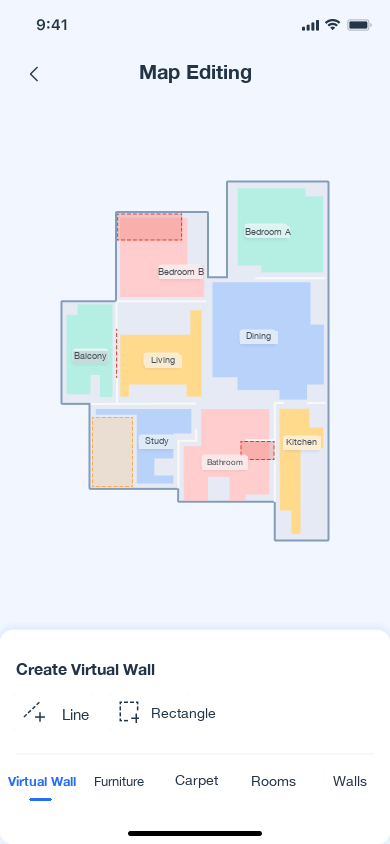
How might we make setup something that just happens, not a chore?
Now the robot generates the map, divides rooms, and labels each room type on its own. People only review and make small tweaks. Setup goes from a task to a glance.
- A contextual first-run prompt gives simple prep tips, then guides users in when no map exists yet.
- Mapping runs long, so interruptions are explicit: early-exit warnings prevent accidental data loss.
- After the scan, people name the floor and adjust labels only for the rare correction.
Mapping · before → after
Design Challenge 2
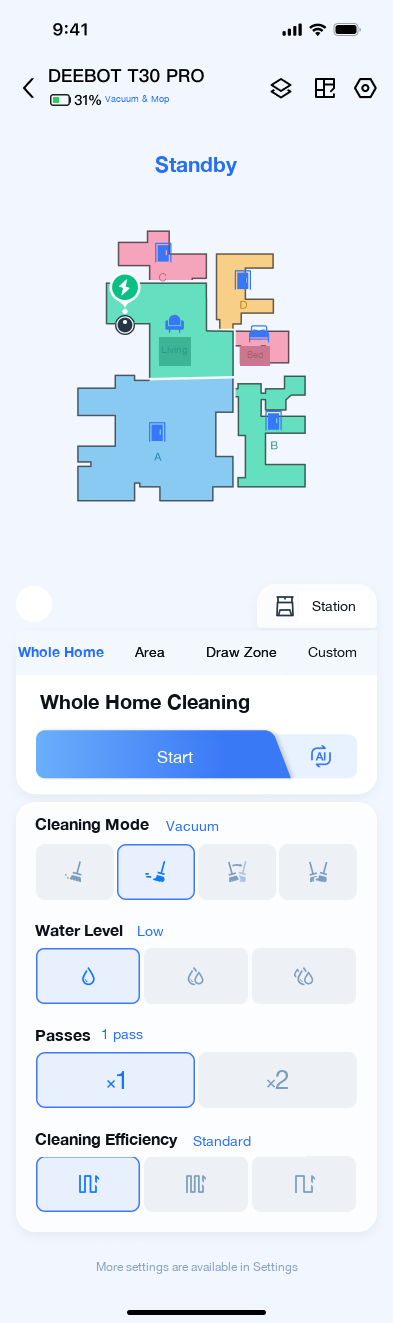
How might we replace a dozen settings with a single, trustworthy tap?
Tap Start, and the system reads each room's type and floor material to pick the strategy itself: suction, water, passes. The experience shifts from manual control to something that behaves like an agent working on your behalf.
- AI hosting sits at the whole-home cleaning entry, visible and one tap away, not buried in settings.
- Advanced parameters move to a separate custom tab, so power users keep full control.
- A first-time explainer sets expectations, a live status shows AI is driving, and a post-clean report makes every decision traceable.
AI Cleaning · before → after
Design Challenge 3
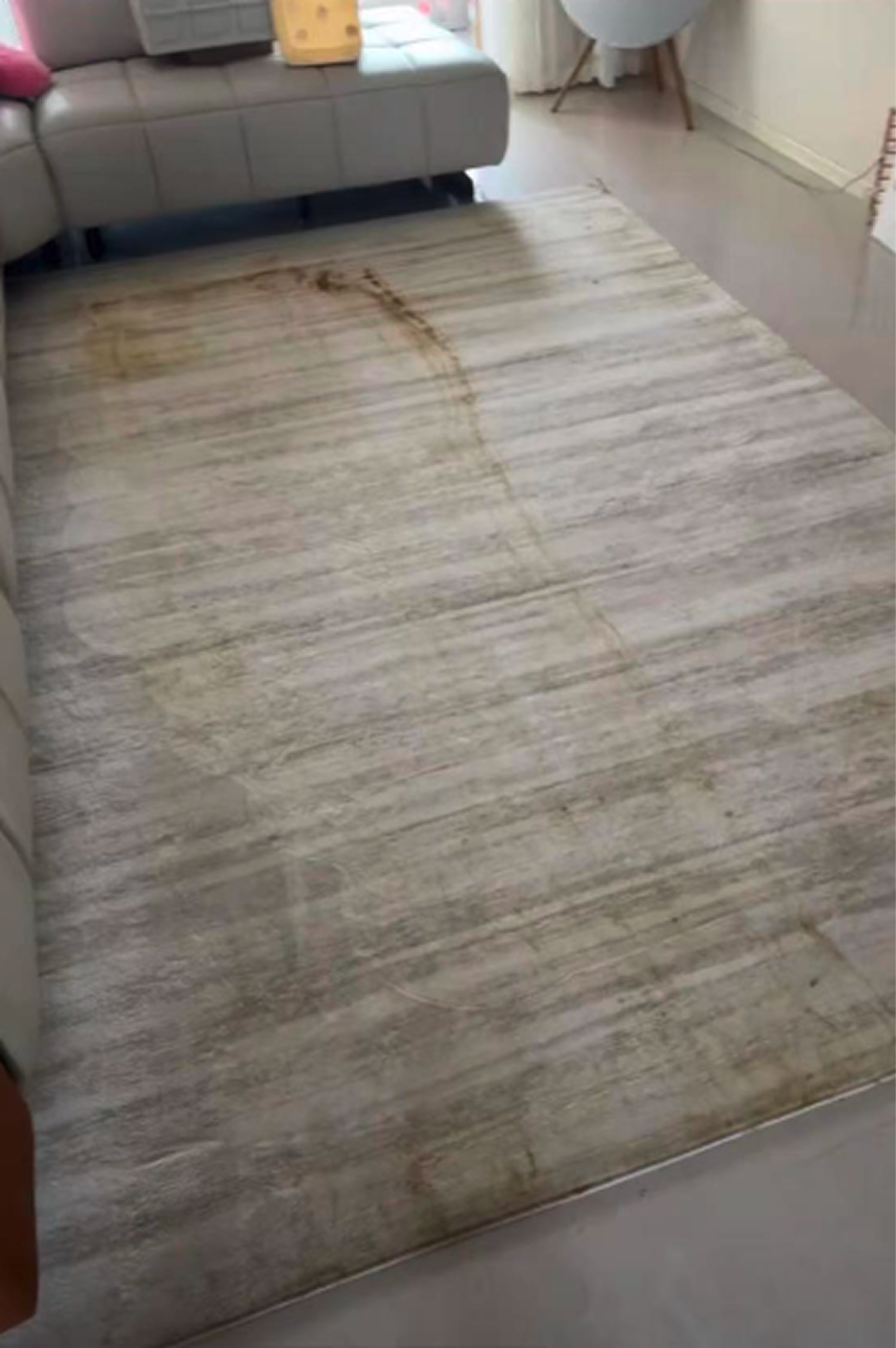
How might we make the scariest failure a non-event?
We retrained the recognition system to reliably detect pet waste and steer around it mid-clean, turning the worst failure mode into a non-event.
Pet-Safe · before → after
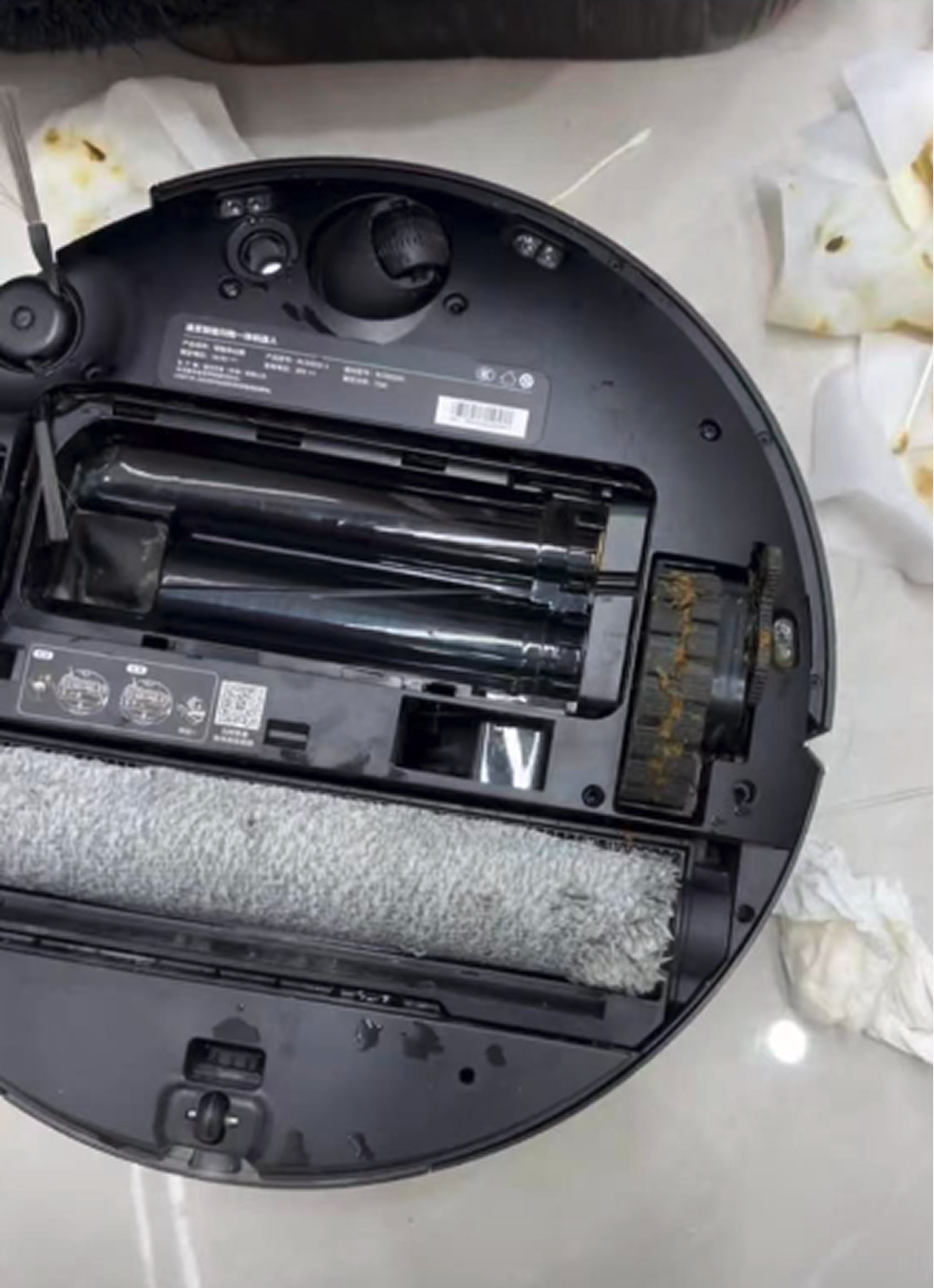
An honest trade-off
In build, a real constraint surfaced: pet-waste detection and fine-particle cleaning could not run at the same time. Rather than silently pick one, we shipped a clear toggle with an explanation, so people make an informed choice for their own home.
Takeaways
What this taught me.
Start with real household behavior
People do not think in cleaning modes. They think in outcomes: make my home clean, and do not bother me. The value came from removing decisions, not adding options.
Design for trust, not just automation
Autonomy only counts when people believe in it. One catastrophic failure outweighs a hundred smooth runs, so high-risk moments deserve the most care.
AI should feel invisible but dependable
The win was not more controls, it was fewer. The system makes the call, stays transparent about it, and earns the right to be trusted by default.
More & next
More that rounded out the X2.
Beyond the three headline features, a few more refinements rounded out the X2 experience.
Yiko · Voice
Just say it out loud.
We refined Yiko, the on-device voice assistant, so people can start a clean, send the robot to a specific room, or pause it, all hands-free without ever opening the app.
Onboarding
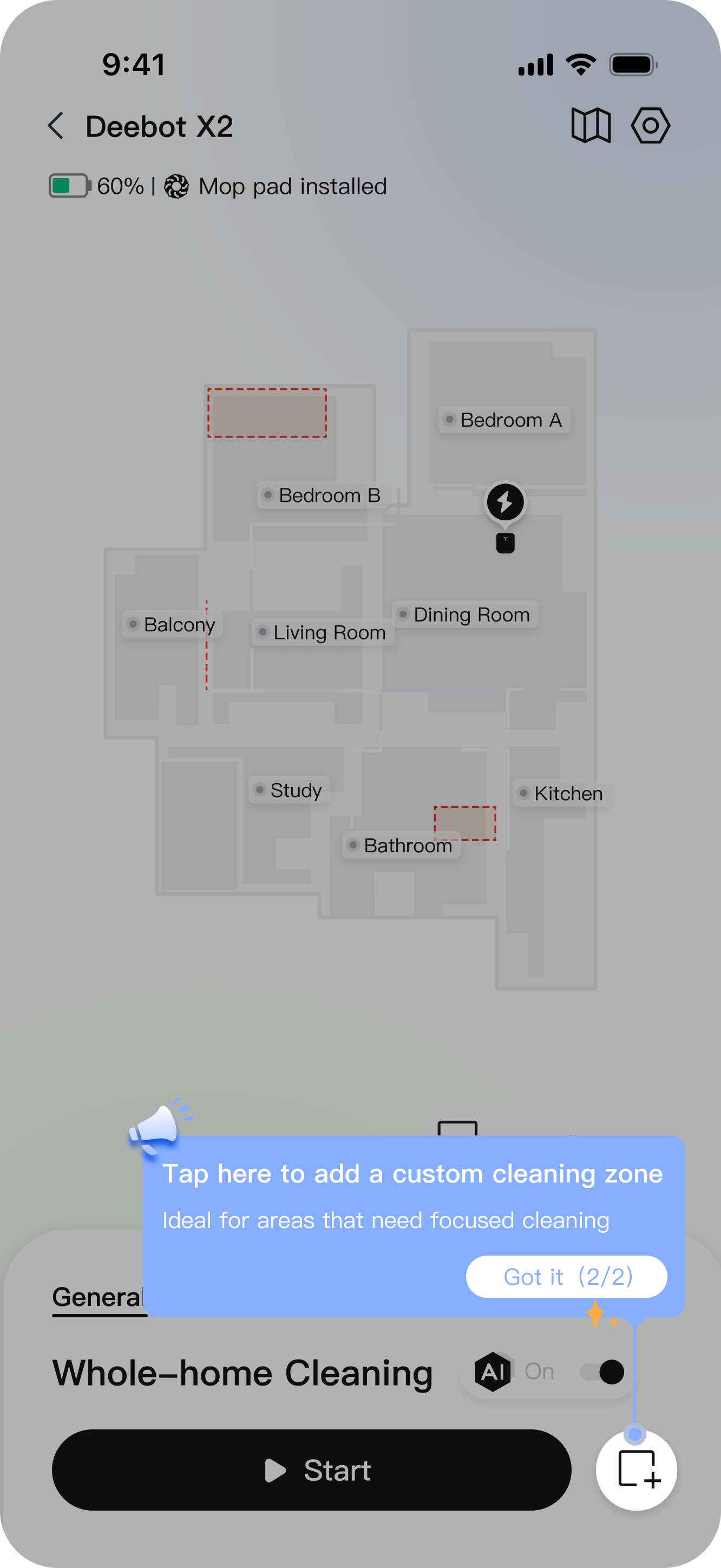
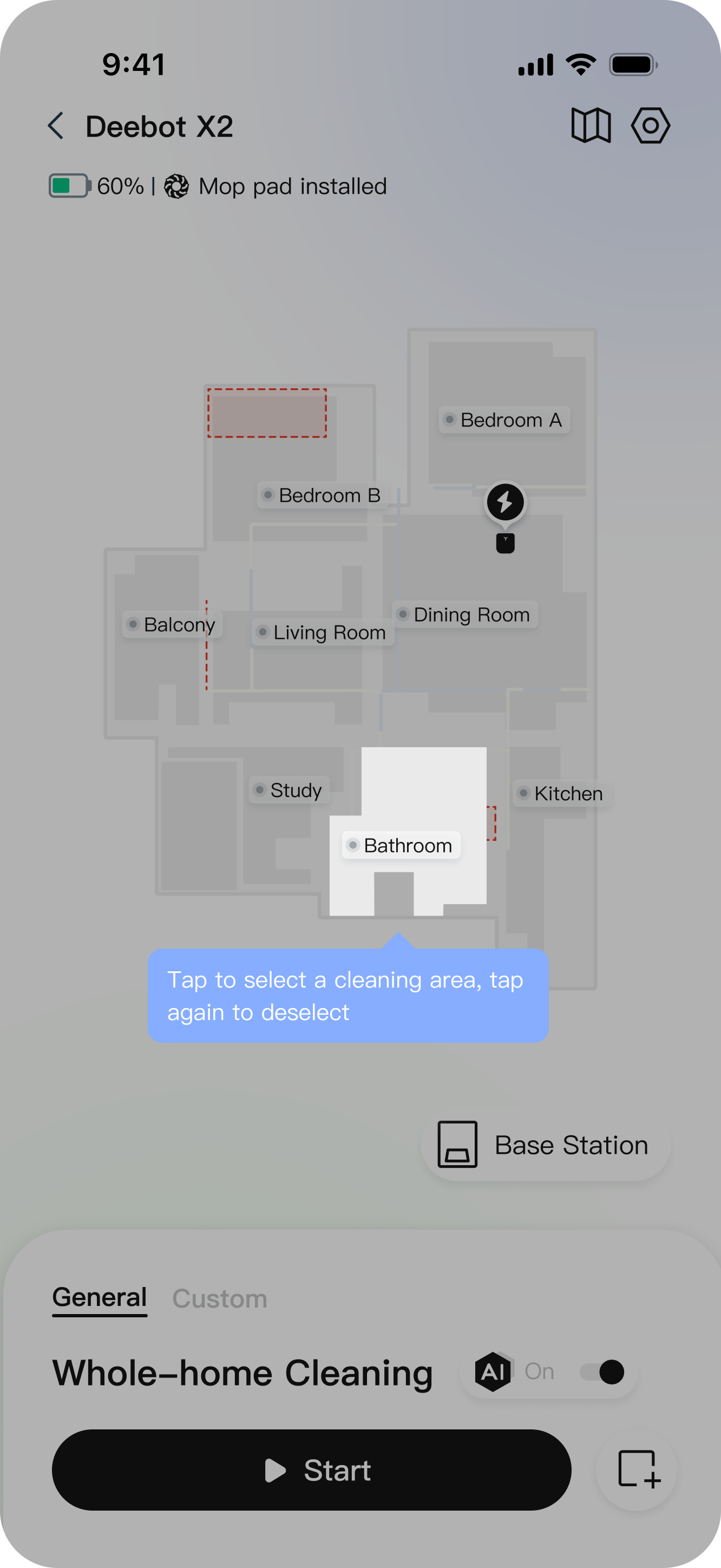
Guided custom cleaning.
Guided onboarding helps users learn how to add custom cleaning areas, select zones on the map, and turn on AI-assisted cleaning. Contextual instructions sit right in the interface, so advanced features feel approachable for new users.
Scheduling
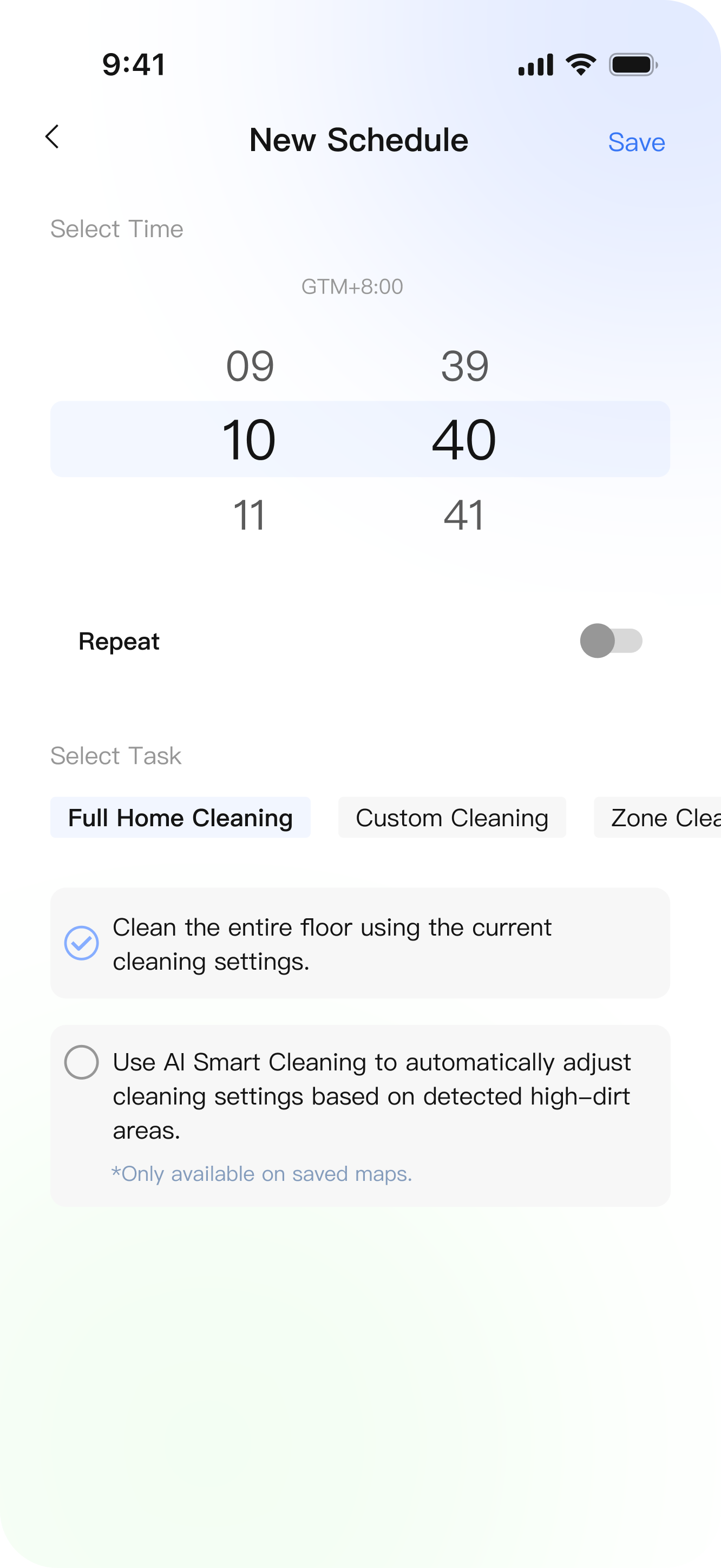
Smarter scheduling across modes.
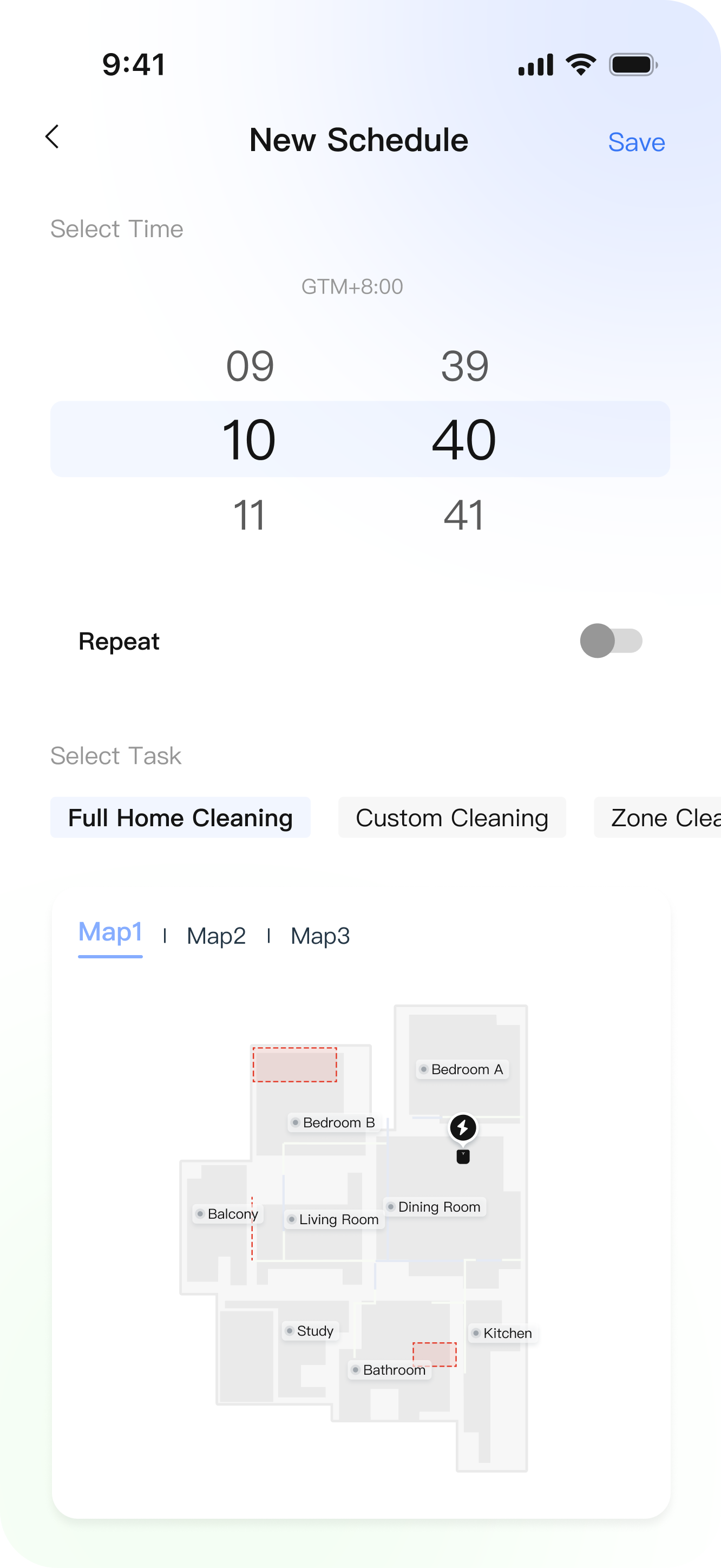
The scheduling flow now supports full-home, custom, and zone-based cleaning with repeat options and reusable presets. People can plan routines in advance and tailor tasks to different rooms, floors, and household scenarios.
Next steps
Where this goes next.
After launch, we extended the Yiko settings architecture to support growing AI capabilities: voice control with a reviewable interaction history, intelligent error detection that replaces error codes with visual fixes, and smart consumables reminders.